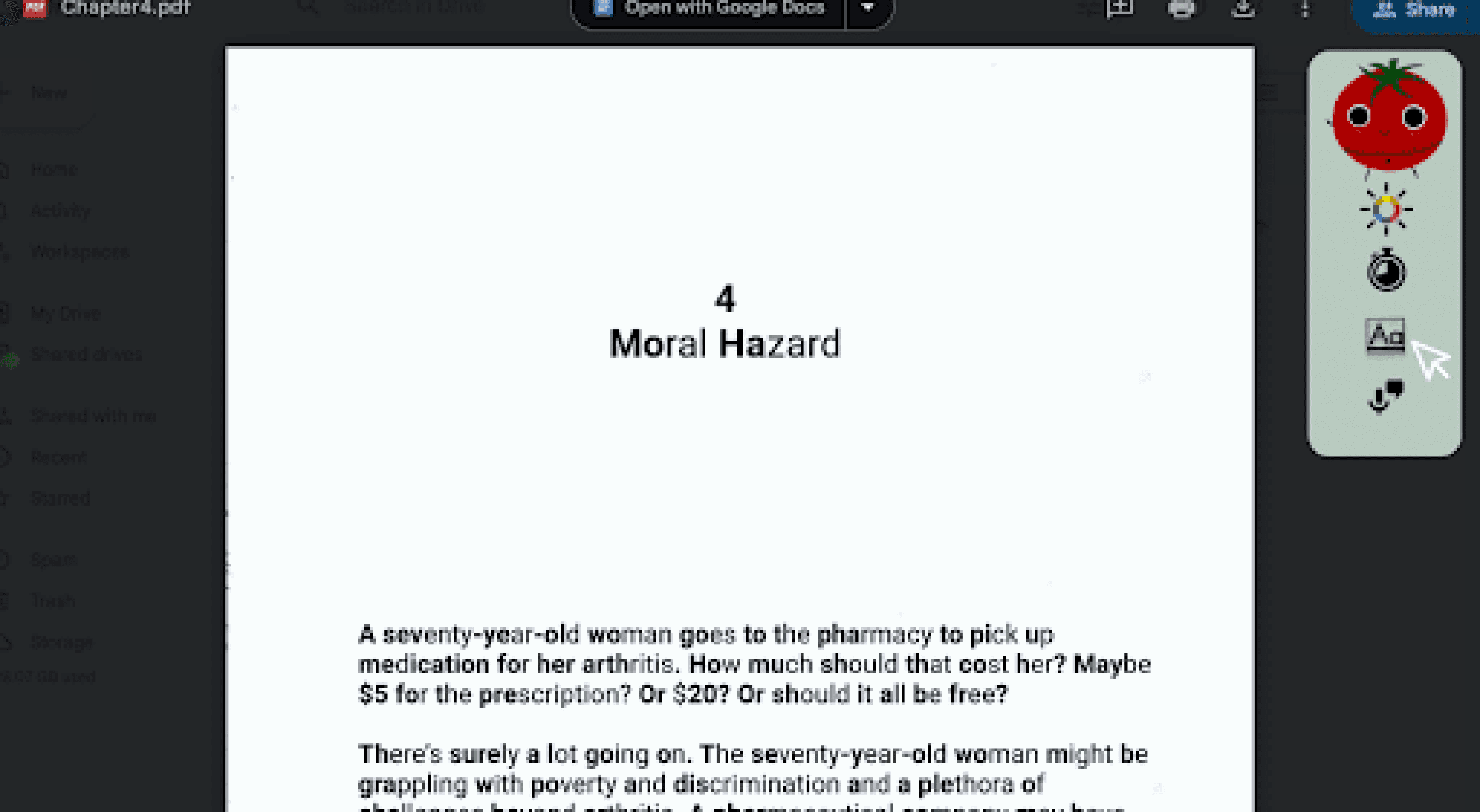
Optim-’eye’-zer:
Accessible Study Tool
Researching Eye Strain and Accessibility in Digital Learning Environments
Context
Optim-eye-zer is a concept for a customizable browser extension designed to reduce visual strain and cognitive fatigue during prolonged screen use. The project explores how accessibility-focused visual controls—such as contrast adjustment, typography scaling, and text-to-speech—can help students adapt digital learning environments to their individual needs.
With the rise of digital coursework, students spend significant portions of their day reading, writing, and studying on screens. While accessibility features exist across operating systems and applications, they are often fragmented or difficult to customize quickly during study sessions. This project investigates how a centralized, adaptable interface could support healthier and more accessible screen engagement.
How might we integrate visual aids using a web application to reduce mental and physical strain?
Roles
UX Research and Design
Timeline
2024 / 1 month
Collaborators
Nina Davalos & VV Chua
Tools
Figma
Project Goal
Design a web application/extension that empowers users to personalize their digital workspace.
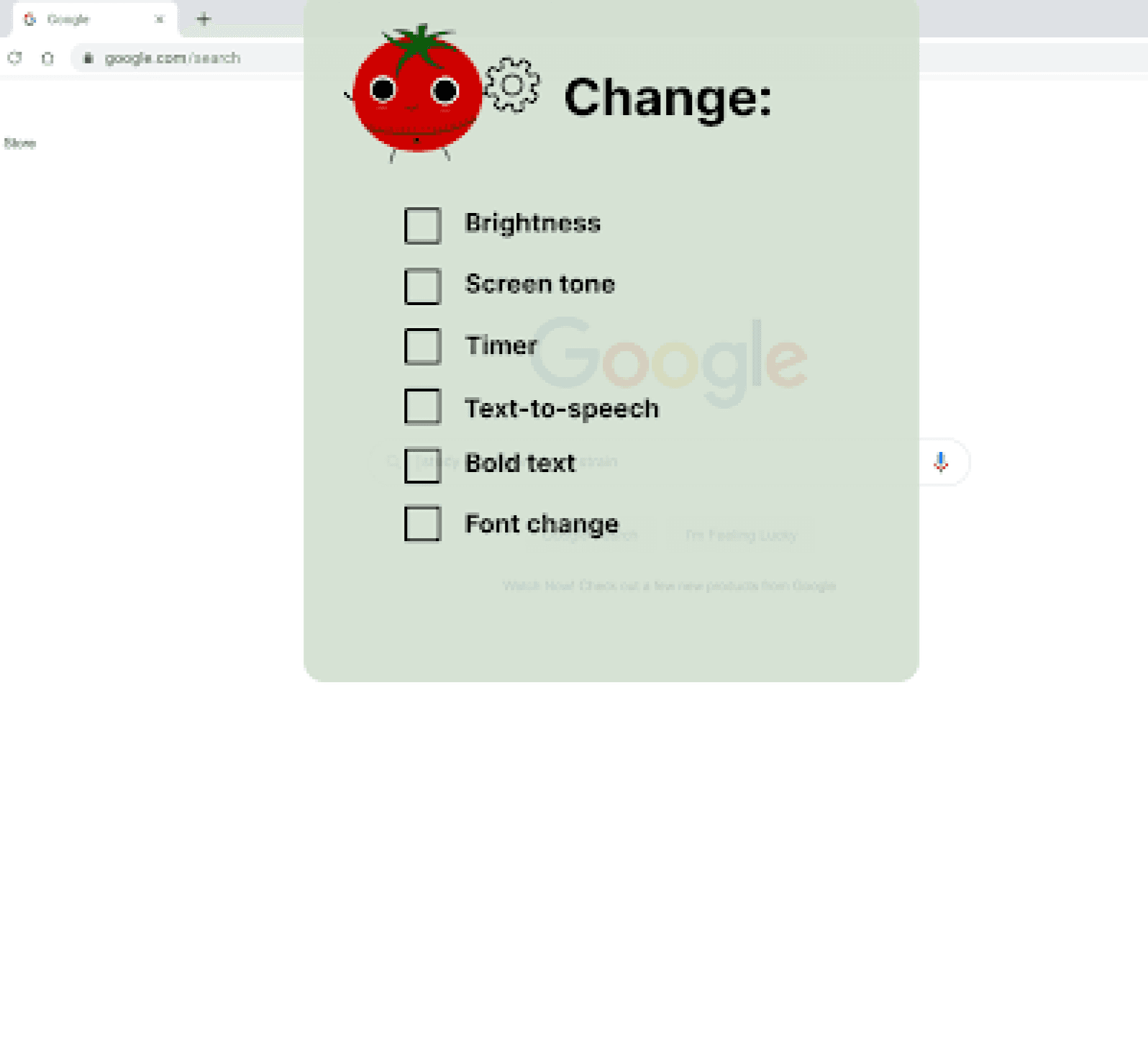
The app provides tools like:
Brightness and tone adjustment
Font style and size modification
Timers and reminders
Accessibility aids such as text-to-speech
These features work collectively to support sustainable and comfortable screen engagement.
How do visual settings affect cognitive comfort?
What aids can reduce fatigue without interrupting workflow?
How can accessibility be seamlessly integrated into design?
Key Questions:
Ideation Process
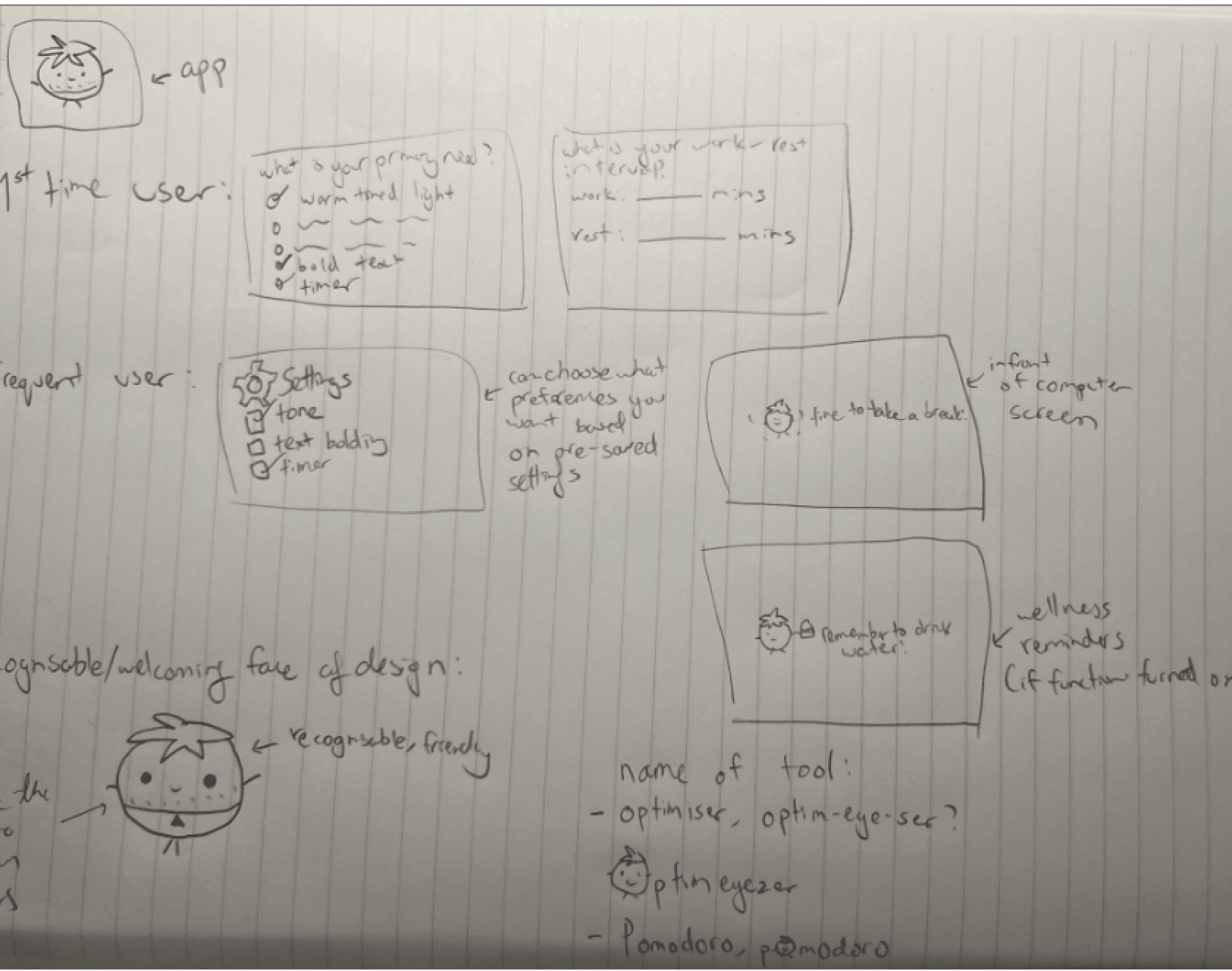
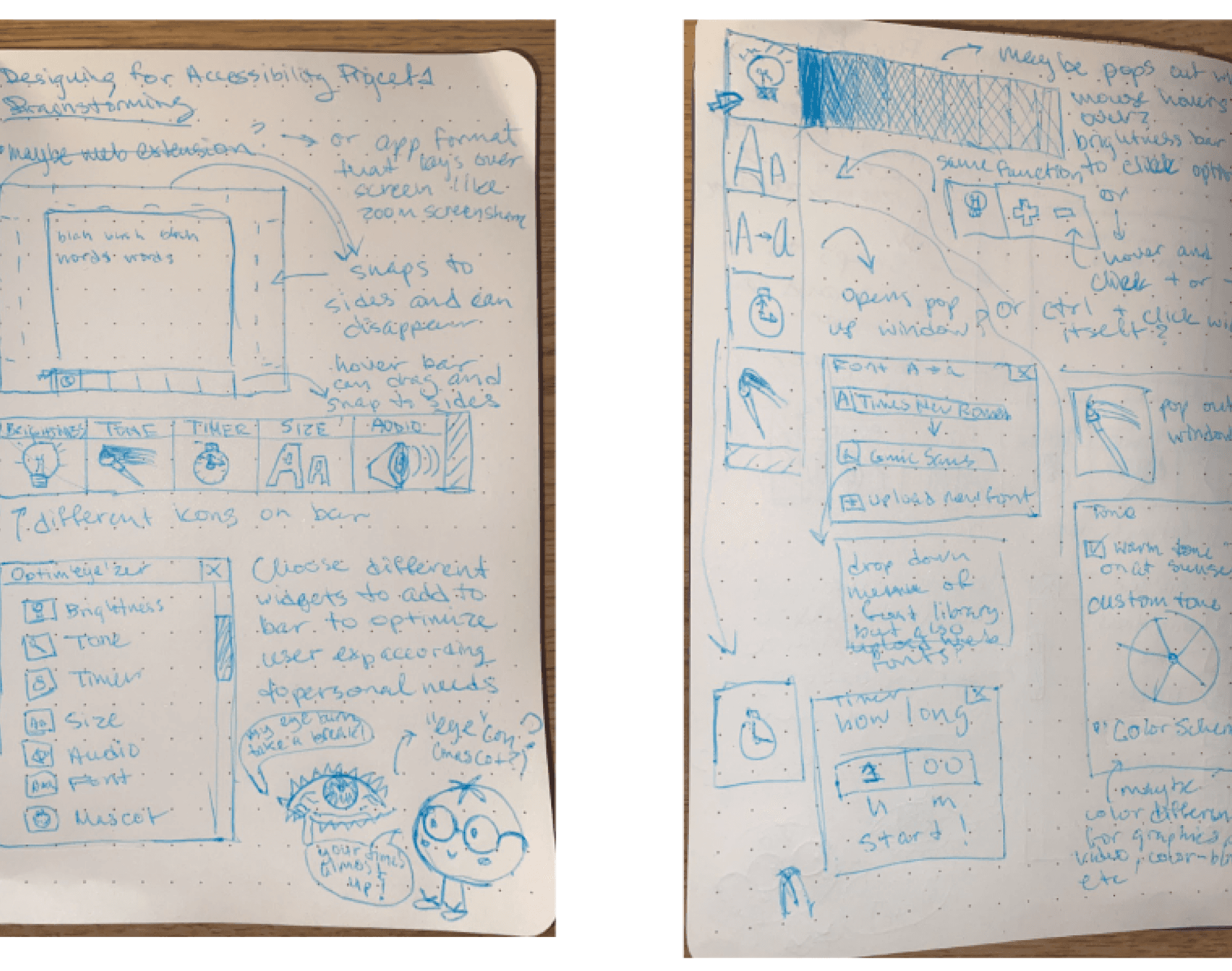
The team began by brainstorming challenges faced during prolonged digital activity, focusing on student use cases. Inspiration came from existing accessibility tools, wellness apps, and browser extensions.
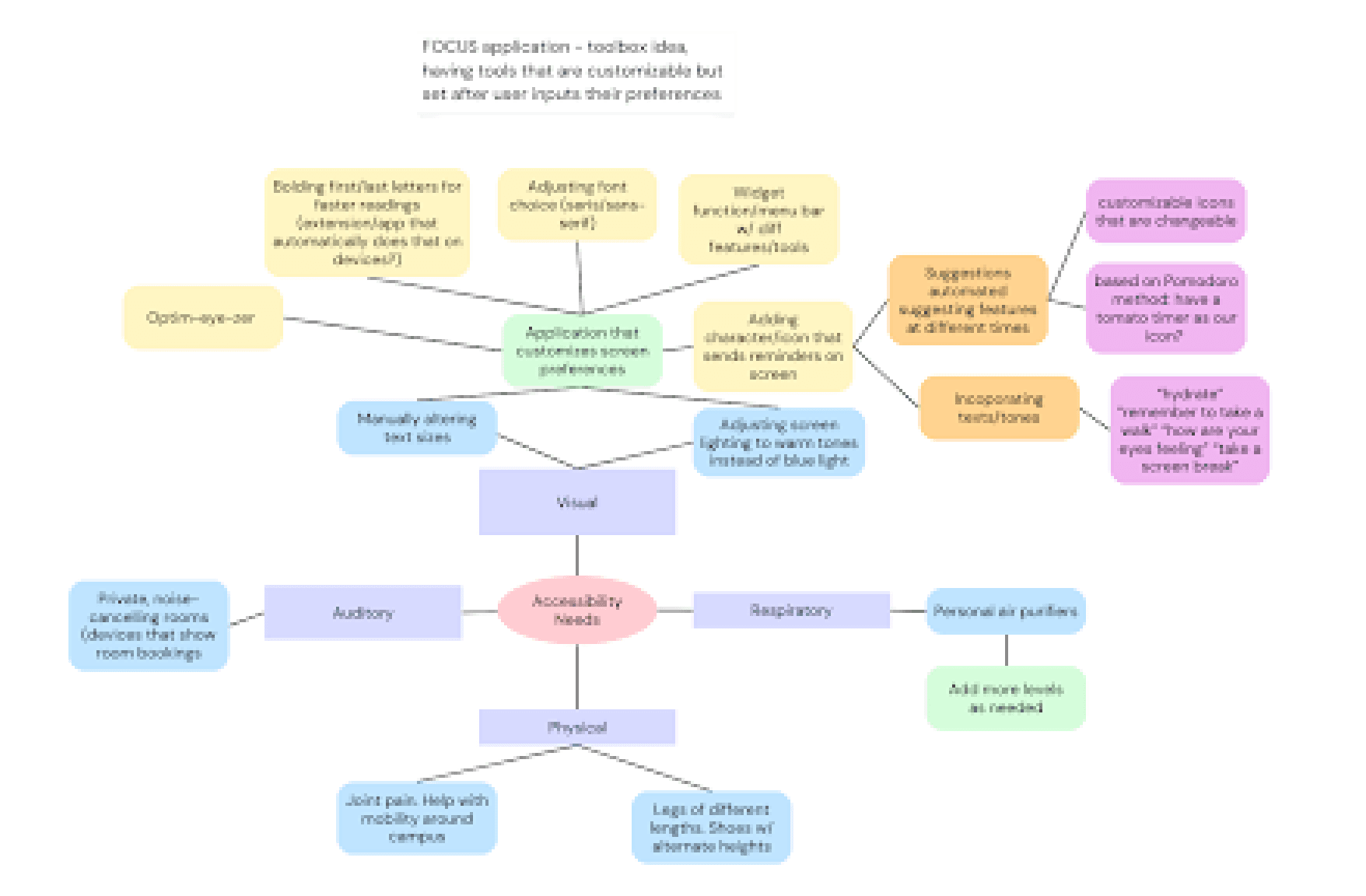
Inspiration and Research
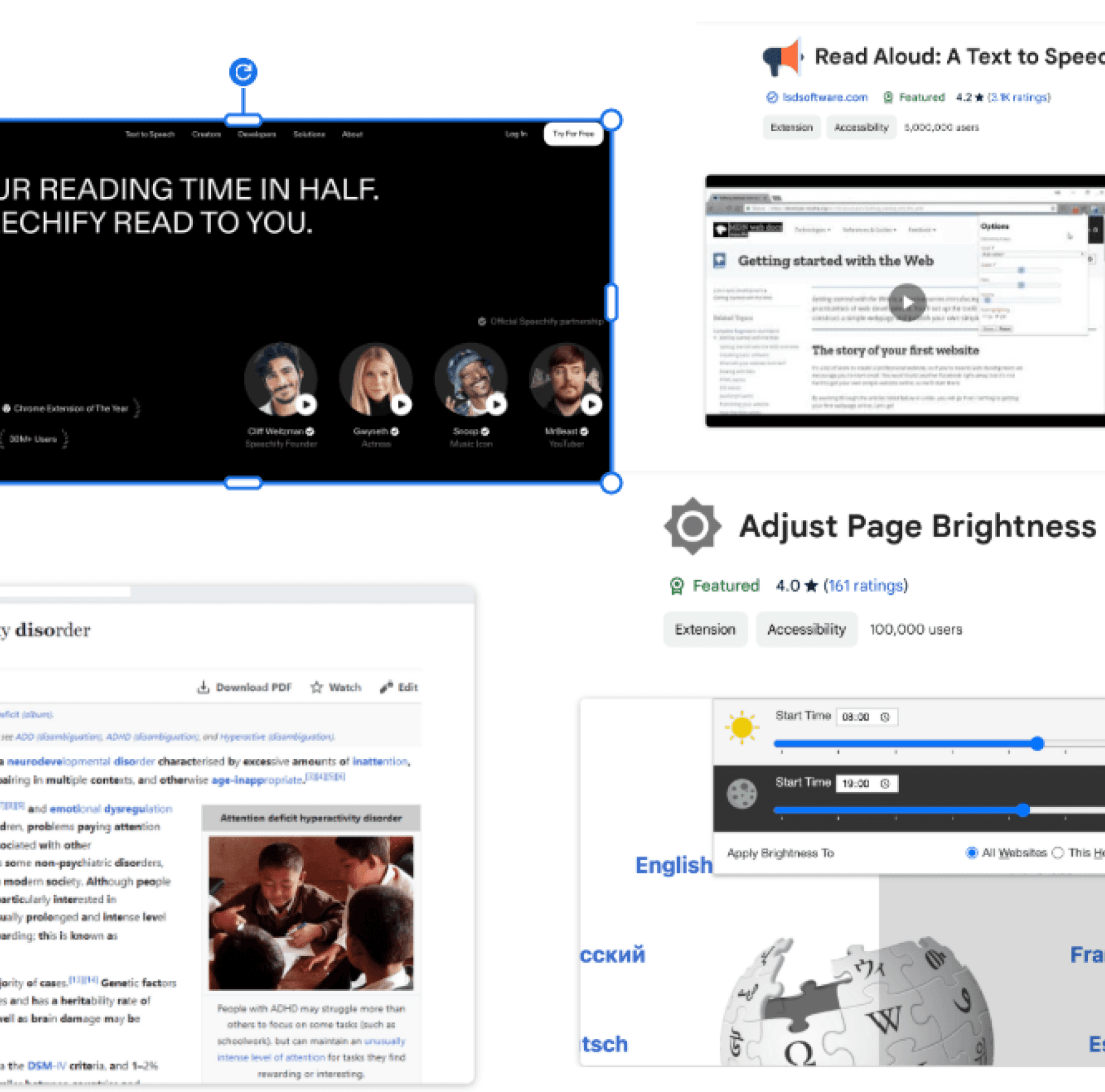
The team explored similar apps and web extensions that focus on screen health, accessibility, and usability. This competitive review highlighted gaps—especially in customizability and cross-platform design consistency—that informed the design direction.
Design Process
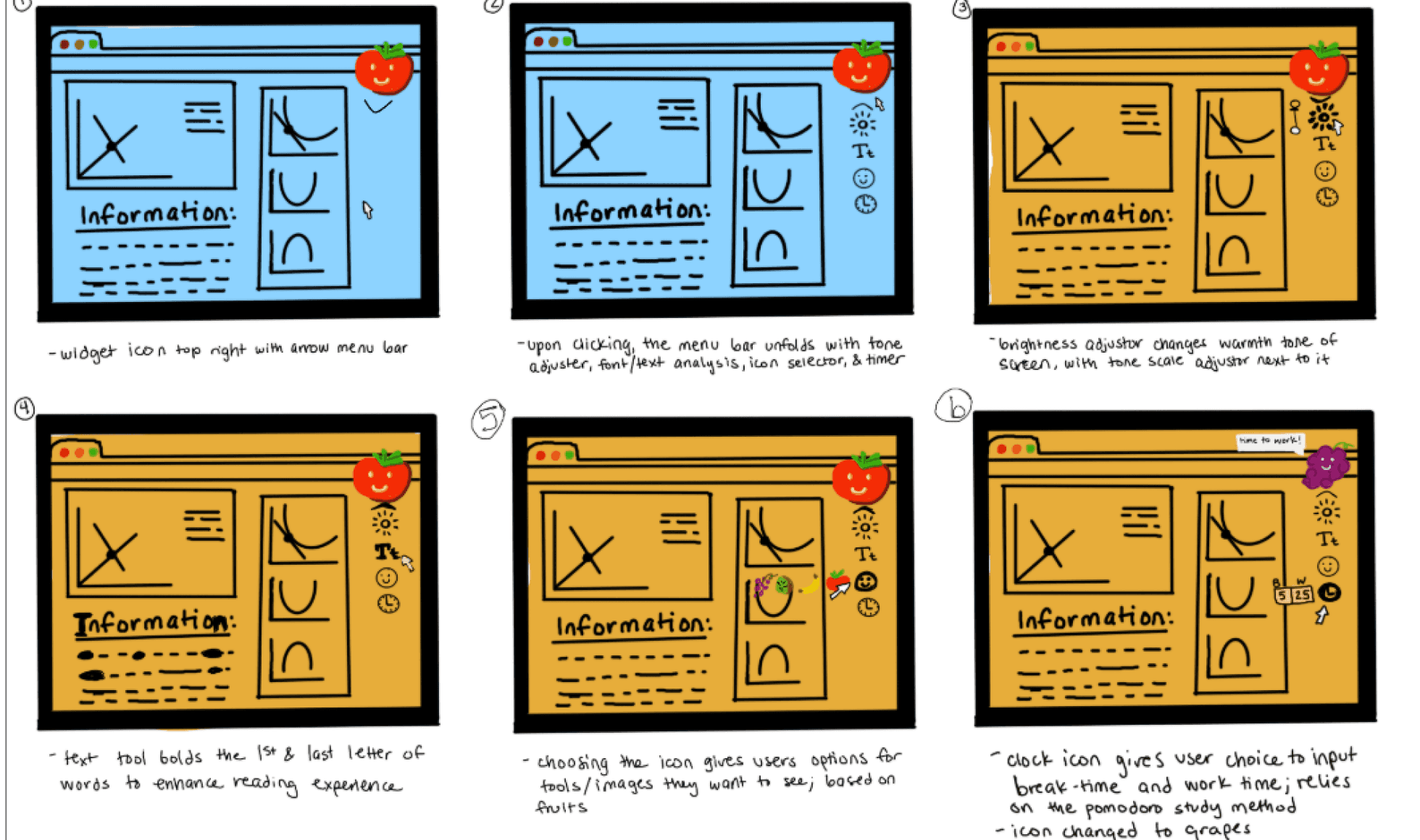
Using iterative prototyping and peer feedback, the team translated ideas into sketches, wireframes, and digital mockups. Each widget (e.g., brightness, font, timer) was treated as a modular component that could be accessed through an intuitive toolbox interface.
Storyboard
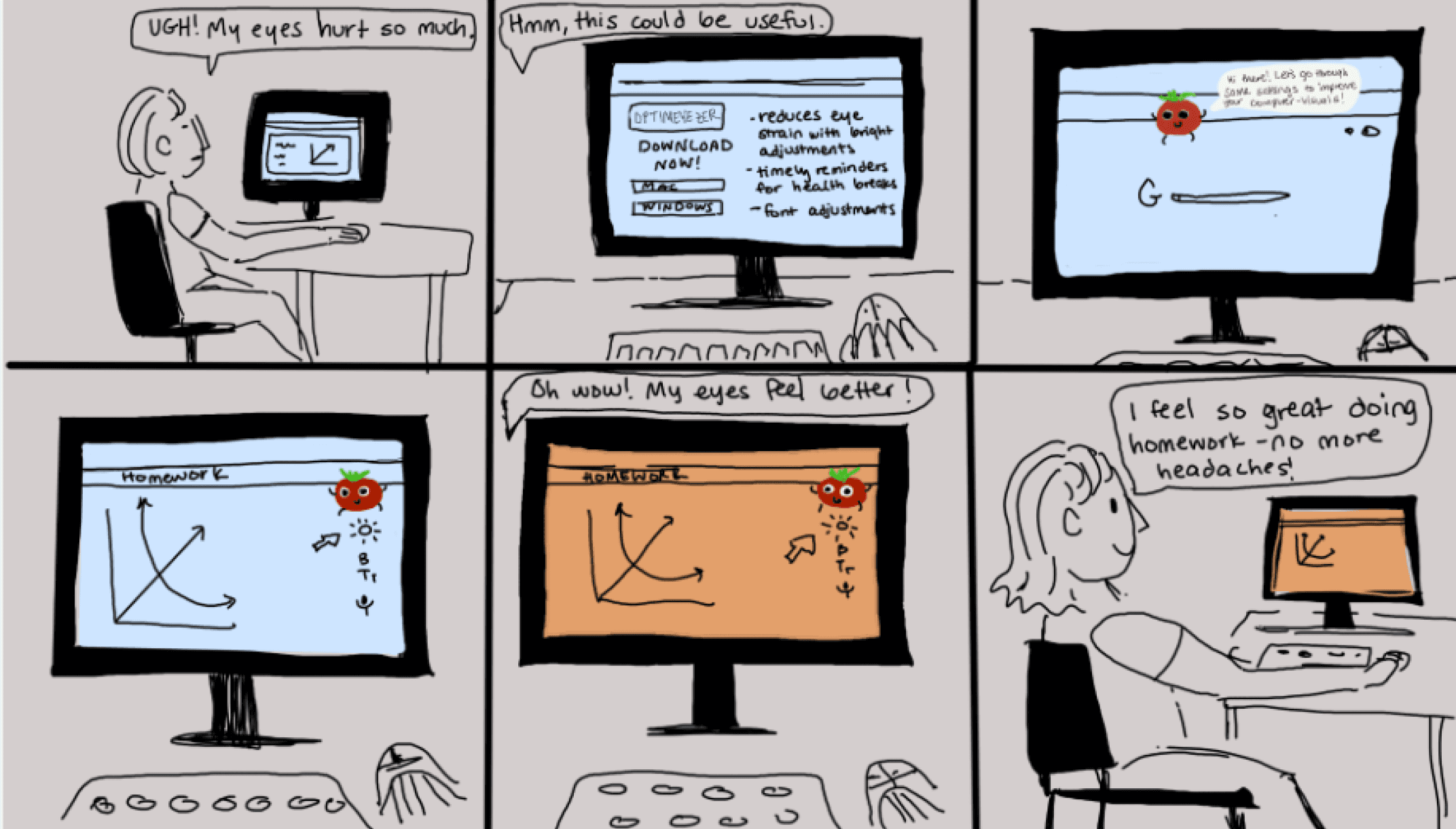
The storyboard visualized a typical student workflow:
Opening the Optim-Eye-Zer extension.
Adjusting screen settings to personal preference.
Receiving gentle reminders to rest or refocus.
Completing study sessions with reduced strain.
This flow ensured that the product supported both functionality and habit-building for healthier screen use.
Final Prototype
Final Prototype
The final prototype featured:
A profile page for saving preferences.
Icon-based tools for ease of navigation.
Accessible text modes, including bold and enlarged fonts.
Color and tone adjustments for different lighting environments.
Timer tools and motivational messages for screen-time balance.
Text-to-speech options for auditory support.
Design Refinement
Iconography
Extensive testing was conducted on icon clarity and recognizability. Each visual cue was simplified for immediate understanding without textual labels.
Typography
Bold text and scalable font sizes supported readability for diverse vision needs.
Color and Tone
Light and dark adjustments were designed for both aesthetic appeal and eye comfort.
Design Challenges
Balancing aesthetic appeal with accessibility requirements.
Maintaining a concise layout despite the variety of features.
Ensuring user inclusivity through adaptable and responsive design.
Future Directions
Next steps include:
Conducting user testing with students to measure effectiveness.
Developing a mobile version to extend accessibility.
Outcomes and Learnings
Optim-Eye-Zer demonstrates how small, well-integrated adjustments can significantly enhance digital well-being. Through iterative design, the project underscored the importance of:
User-centered thinking in accessibility.
Minimal yet functional design choices.
Cross-platform adaptability for universal usability.